
How to put a CD on an iPod without iTunes or Apple Music
Clickwill reads the CD, finds its song names and cover online, saves the songs on your Mac and adds them to your iPod classic. Music never has to open.
Insert the CD with Clickwill open and click Look Up Online. Pick a format and click Import CD. When the Add Songs window opens, click Add to Library, then 1 change pending and Write to iPod.
What you need
- A Mac with macOS 26 or later and a CD drive connected to it.
- An iPod classic, connected to the Mac.
- An internet connection for Look Up Online. Without one, you can paste or type the song names yourself.
Step by step
-
Insert the CD
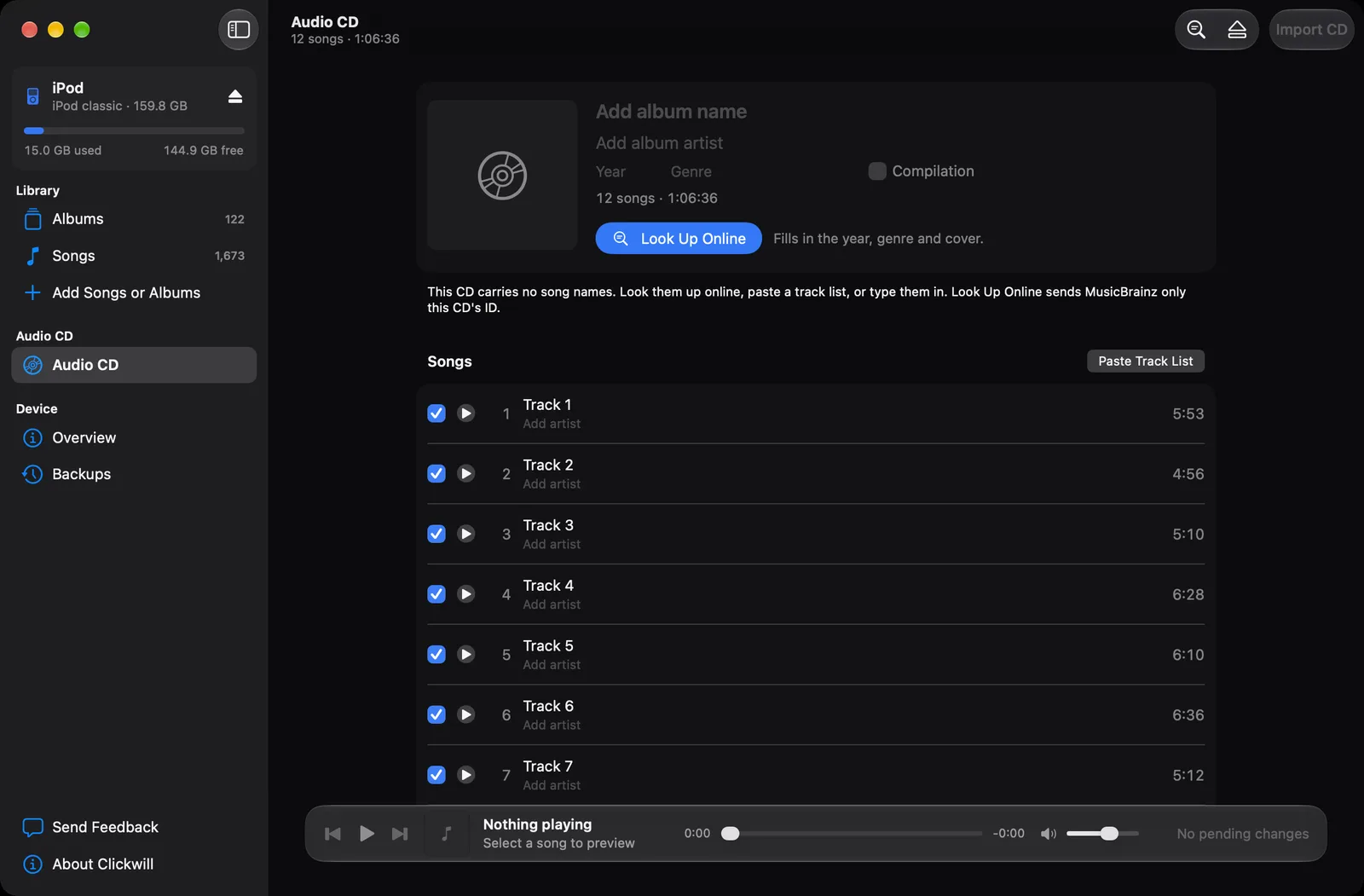
With Clickwill open, put the CD in the drive. It appears under Audio CD in the sidebar. Most audio CDs don't carry song names, so at first the songs are just numbered.
-
Click Look Up Online
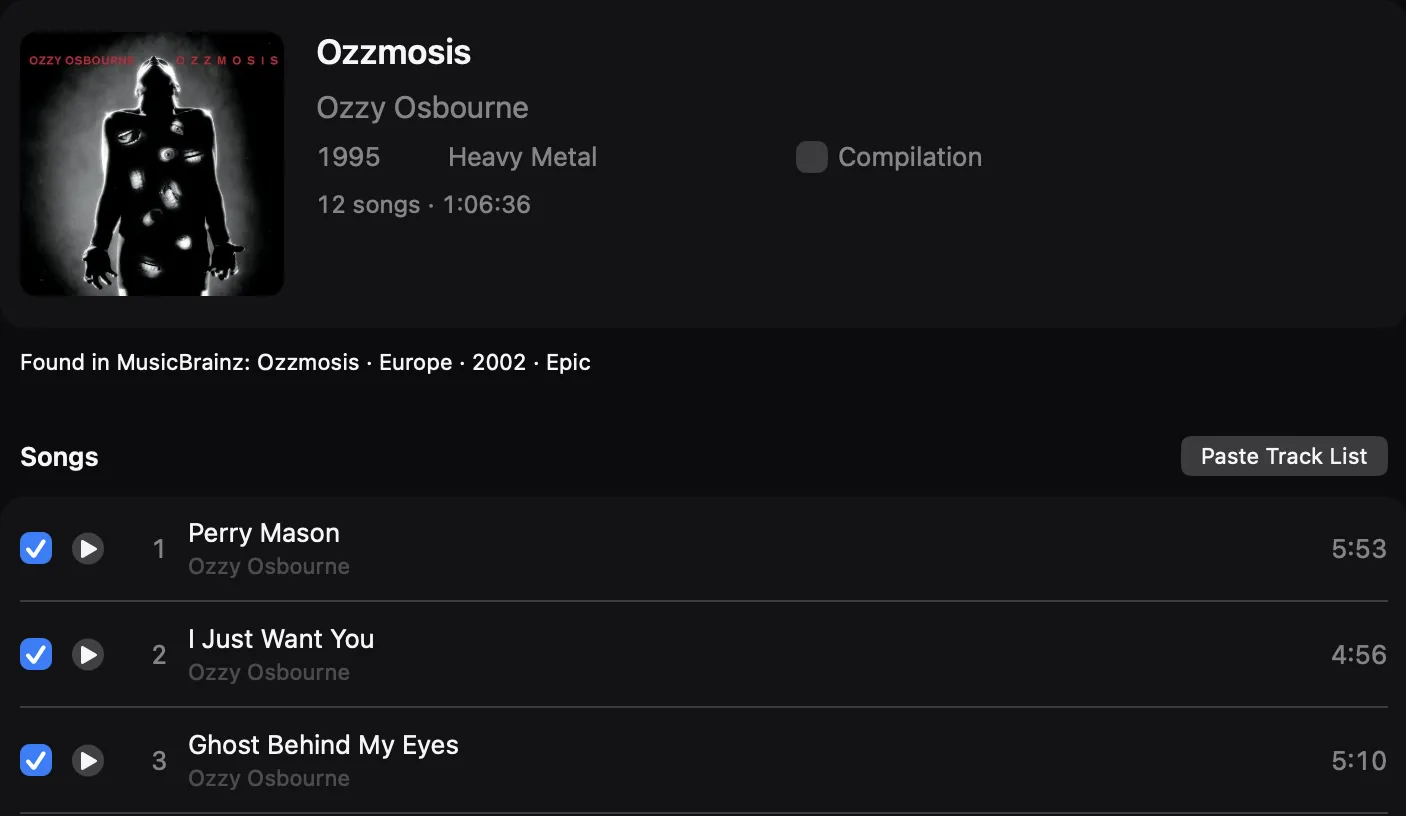
Clickwill finds the album in MusicBrainz and fills in the album, artist, song names, year, genre and cover. All it sends is the CD's ID, worked out from the lengths of its tracks.
-
Pick a format
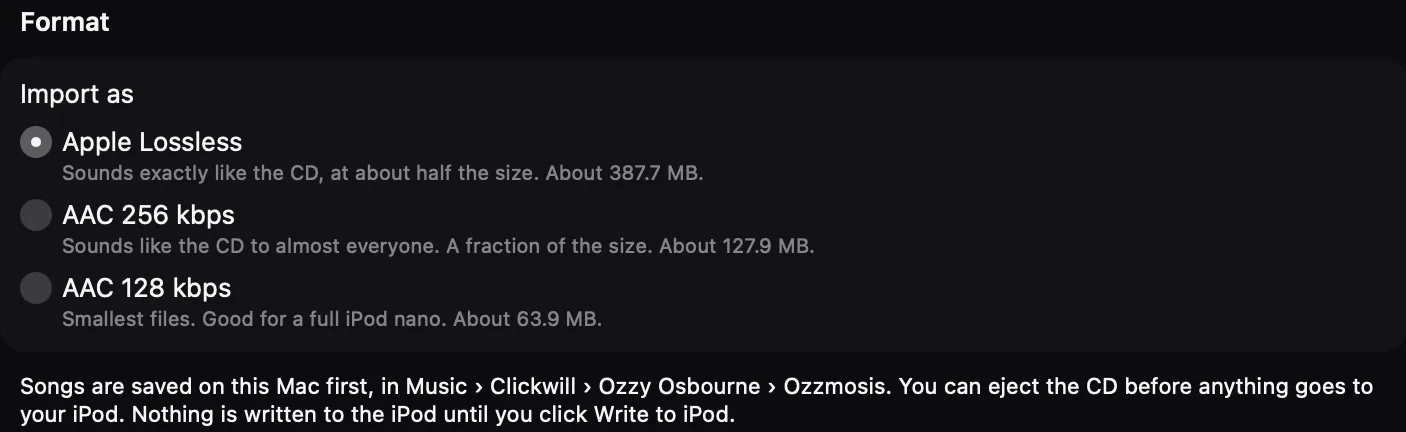
Scroll down to Format. Apple Lossless sounds exactly like the CD at about half the size. AAC 256 kbps sounds like the CD to almost everyone and takes a fraction of the space. AAC 128 kbps makes the smallest files. Each option shows how much space the album will take.
-
Click Import CD
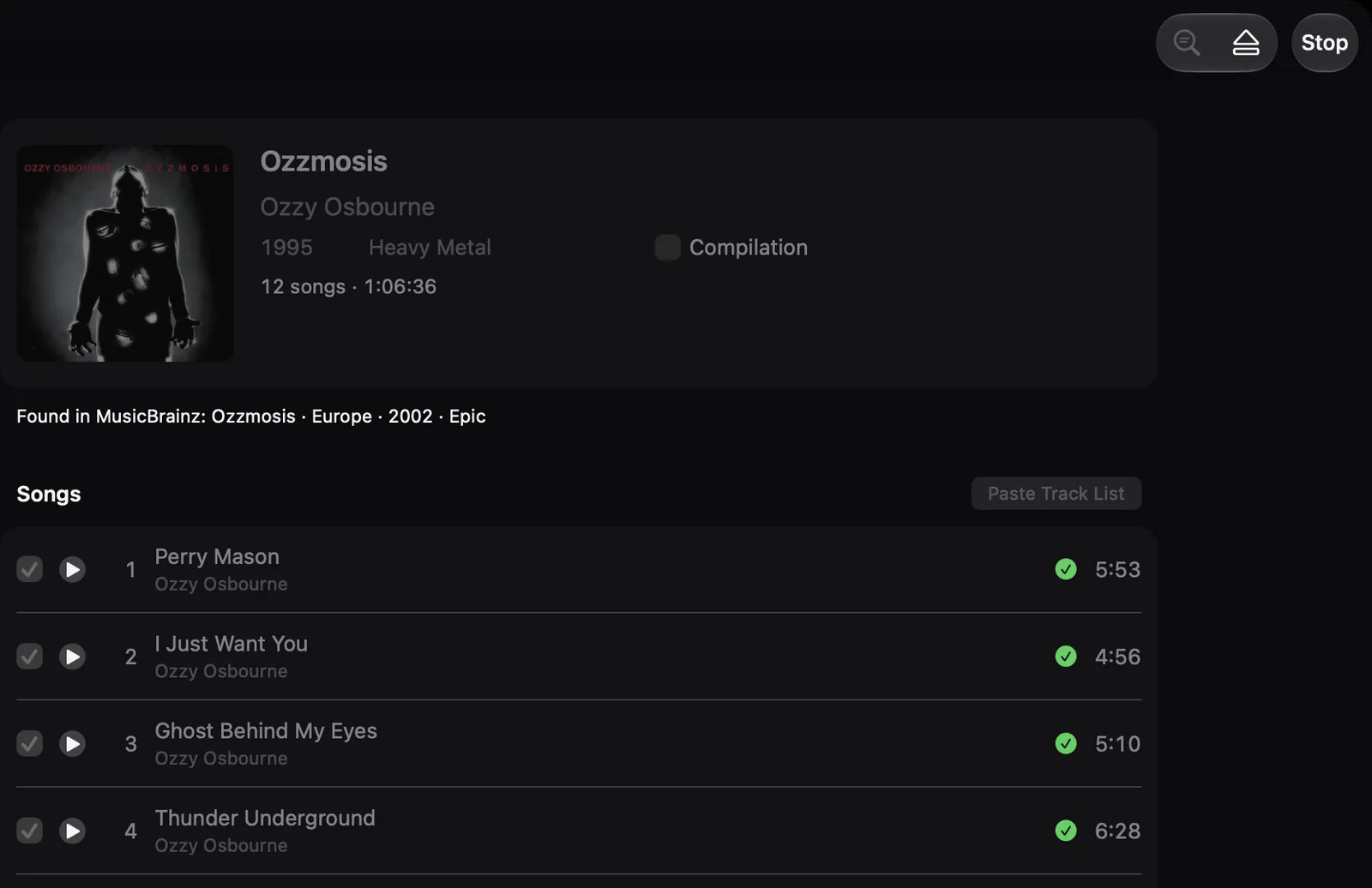
It's at the top right of the window. Each song gets a green tick when it's saved on your Mac, in Music › Clickwill, with its name, track number and cover inside the file. Once all of them have a tick, you can eject the CD.
-
Add the album to your iPod
When the import finishes, the Add Songs window opens with the album. From here it's the same as adding any album: click Add to Library, then 1 change pending at the bottom of the window and Write to iPod. How to put songs on an iPod classic shows each of these screens.
When MusicBrainz doesn't know the CD
Copy a track list from anywhere, like a shop page or the back of the case, and click Paste Track List. Clickwill takes out the numbers and lengths and fills in the names. You can also click a song and type its name.
Leaving songs out
Every song has a tick box in front of it. Untick the ones you don't want before you click Import CD.