
How to put FLAC on an iPod classic from a Mac
The iPod classic can't play FLAC, and the Music app can't import it. Clickwill converts FLAC to Apple Lossless as it adds your songs, 24-bit and hi-res files included, and keeps the names, numbers and cover.
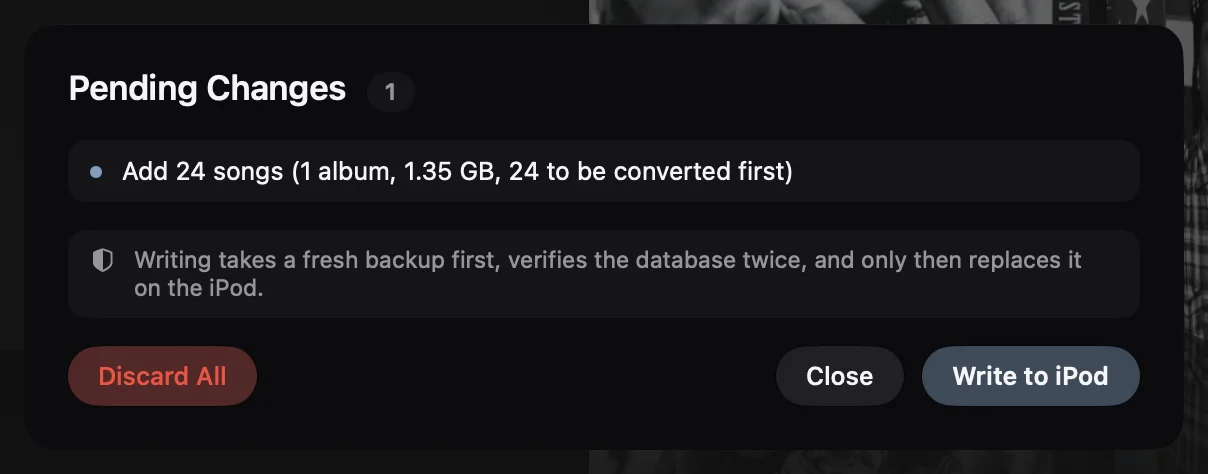
Click Add Songs or Albums and choose the folder with your FLAC album. Each song is marked Converted to Apple Lossless. Click Add to Library, then 1 change pending and Write to iPod. Your FLAC files on the Mac stay as they are.
What you need
- A Mac with macOS 26 or later.
- An iPod classic, connected to the Mac.
- FLAC files, for example an album you bought on Bandcamp or Qobuz. Any bit depth and sample rate.
Step by step
-
Click Add Songs or Albums
It's in the sidebar, under Library. Choose the folder your FLAC album is in, or the files themselves.
-
Check what each file becomes
The Add Songs window shows the whole album with its cover, album artist and song numbers, read from the FLAC tags. At the top it says how many files need converting first, and that your own copies stay where they are.
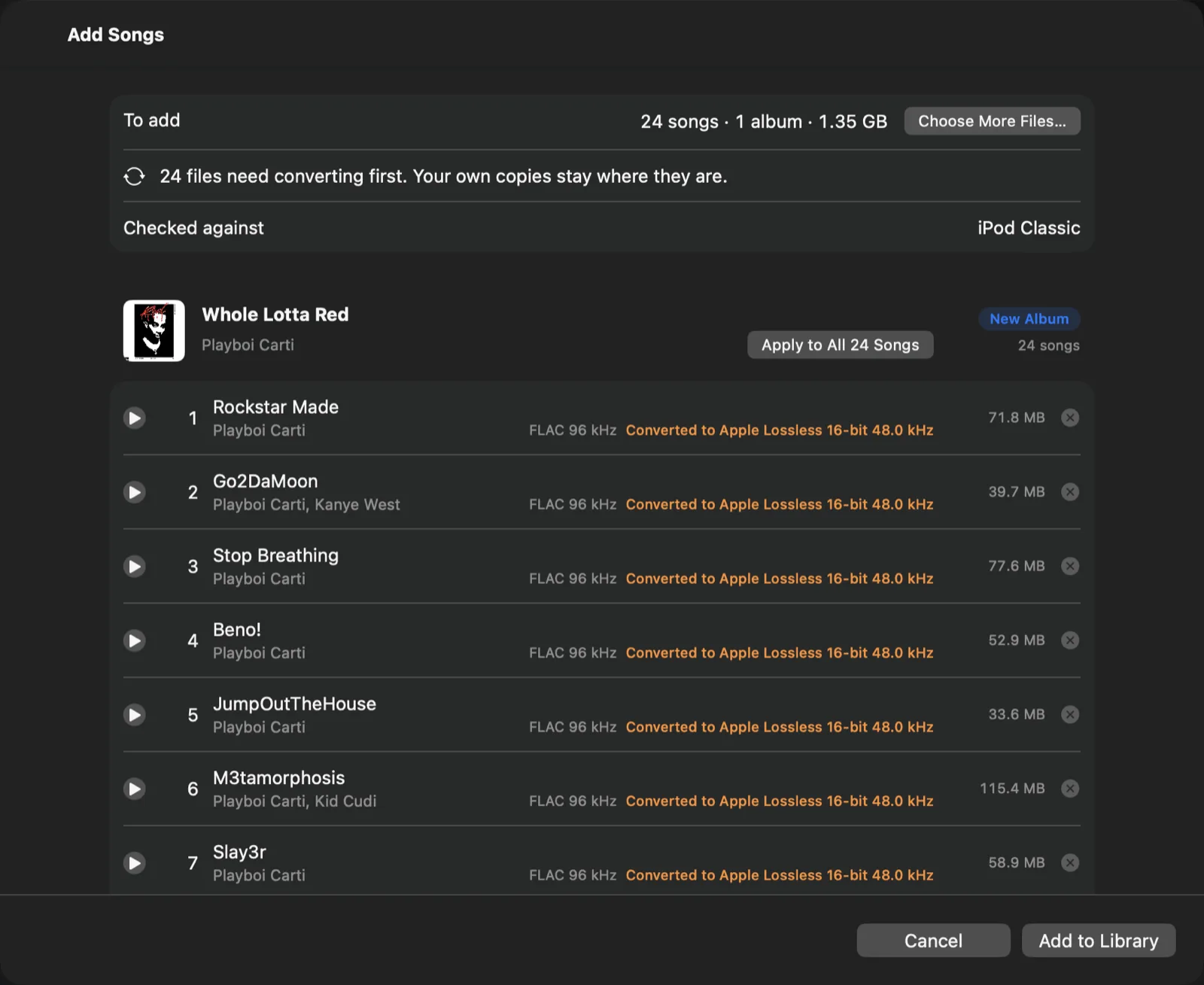
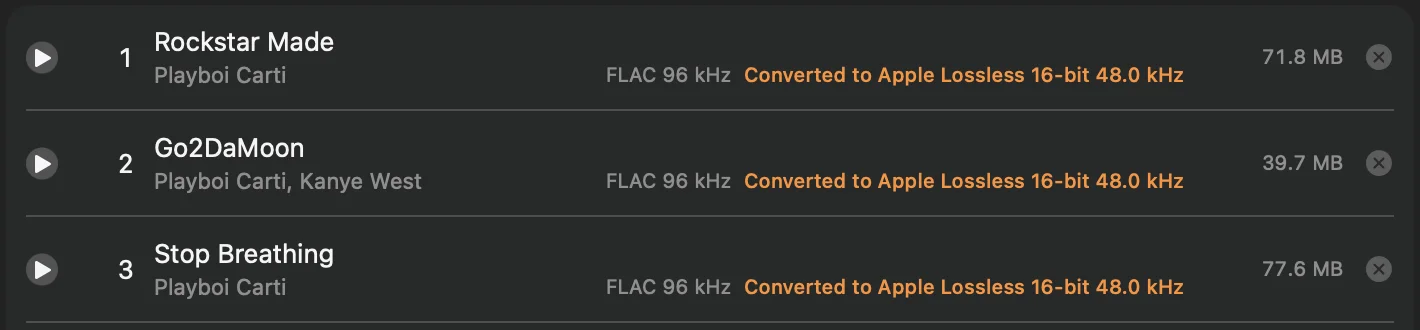
Next to every song you see its format now and what it will be on the iPod. A 24-bit, 96 kHz FLAC file becomes Apple Lossless at 16 bits and 48 kHz.
-
Click Add to Library
The album waits as a pending change. Nothing is converted or copied to the iPod yet, and you can still change your mind.
-
Click 1 change pending, then Write to iPod
The list of changes says how many songs will be converted first. When you click Write to iPod, Clickwill converts them, takes a fresh backup of the iPod's library, checks the new one twice and only then puts it on the iPod, together with the songs.
What your FLAC files become
- 16-bit at 44.1 or 48 kHz (CD quality): Apple Lossless at the same rate. Every sample is kept.
- 24-bit: Apple Lossless at 16 bits, the CD standard.
- 88.2, 96 or 192 kHz: Apple Lossless at 48 kHz, the highest rate the iPod classic plays.
For CD-quality FLAC, the Apple Lossless file holds exactly the same audio. Hi-res files are brought down to CD quality, which is the most the iPod classic can play.
Why 24-bit songs skip on an iPod classic
The iPod classic plays Apple Lossless up to 16 bits and 48 kHz. Files above that don't play properly: on my iPod classic, 24-bit songs skipped. That's why Clickwill never writes anything above 16 bits and 48 kHz.
Names and covers
Clickwill reads the song names, artist, album artist, track and disc numbers, year, genre and the cover from the FLAC file's own tags. If an album has no cover inside the files but a cover.jpg or folder.jpg next to them, Clickwill uses that.
Questions
Can an iPod classic play FLAC?
No. The iPod classic plays Apple Lossless, which sounds the same as FLAC, so FLAC files have to be converted first. Clickwill does that when it adds them.
Why do 24-bit songs skip on an iPod classic?
The iPod classic plays Apple Lossless up to 16 bits and 48 kHz. On my iPod classic, 24-bit files skipped. Clickwill writes 16-bit files at up to 48 kHz, which is CD quality and plays properly.
Does converting change my FLAC files?
No. Clickwill converts a copy for the iPod. Your FLAC files on the Mac stay where they are, as they are.
More: how to put songs on an iPod classic without iTunes, and every way to manage an iPod classic on a Mac.