
How to change the album order on an iPod classic
The iPod classic has no setting for album order. It shows albums in the order stored in its library, and Music stores them alphabetically. Clickwill lets you put them in your own order, for example by year, and shows how the iPod will line them up before anything is written.
In Clickwill, click the ↑↓ button at the top right of Albums. Drag albums into place within each artist, then click Done, the pending changes button at the bottom and Write to iPod. Keep Music closed afterwards, or it puts the order back.
What you need
- A Mac with macOS 26 or later.
- An iPod classic, connected to the Mac.
- The Music app closed while you work and while the iPod stays connected.
Step by step
-
Open Reorder Albums
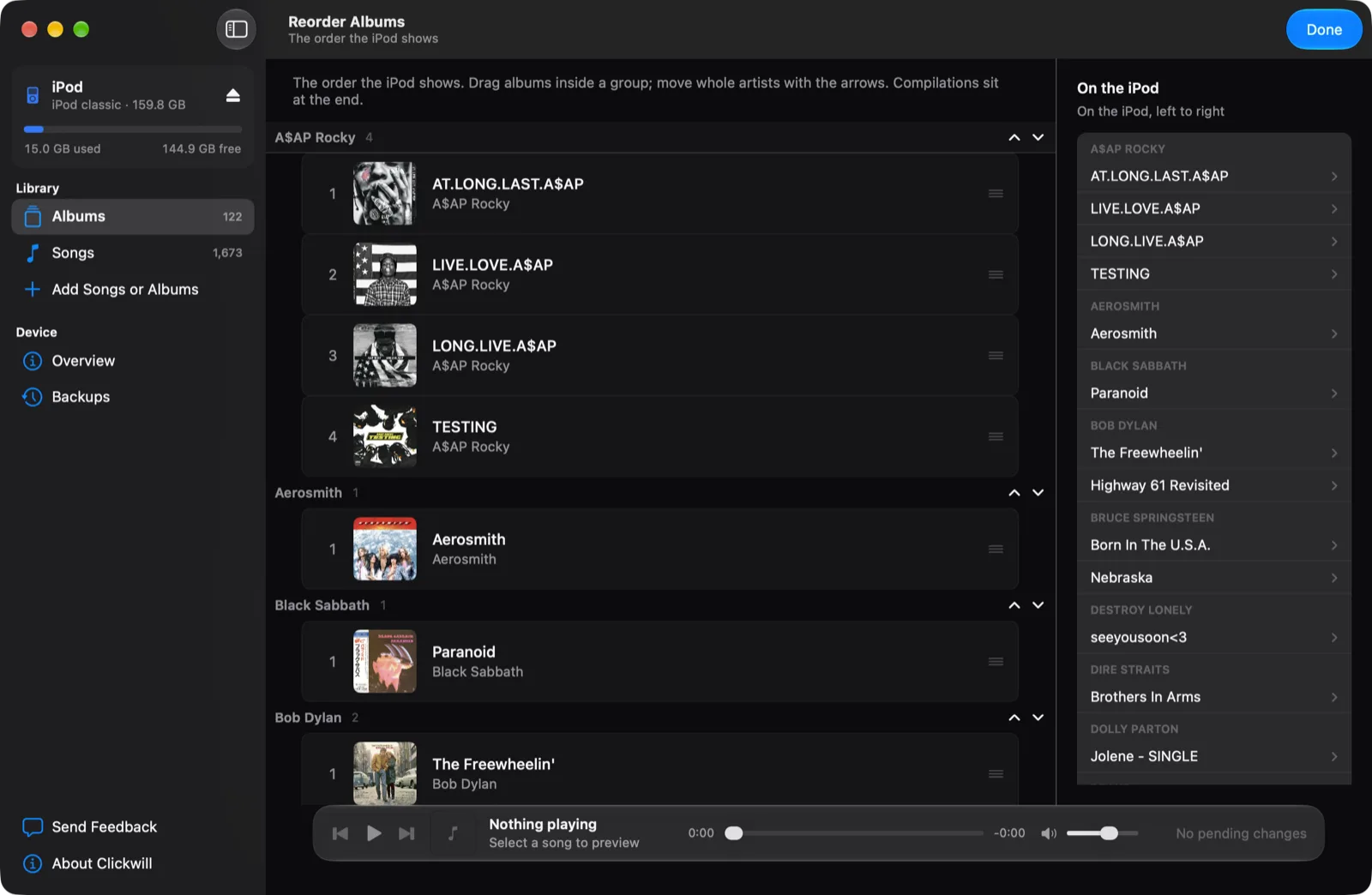
In Albums, click the ↑↓ button at the top right of the window. Albums are grouped by artist, in the order they're on the iPod now. On my iPod, A$AP Rocky's four albums were in alphabetical order, not the order they came out.
-
Drag albums into place
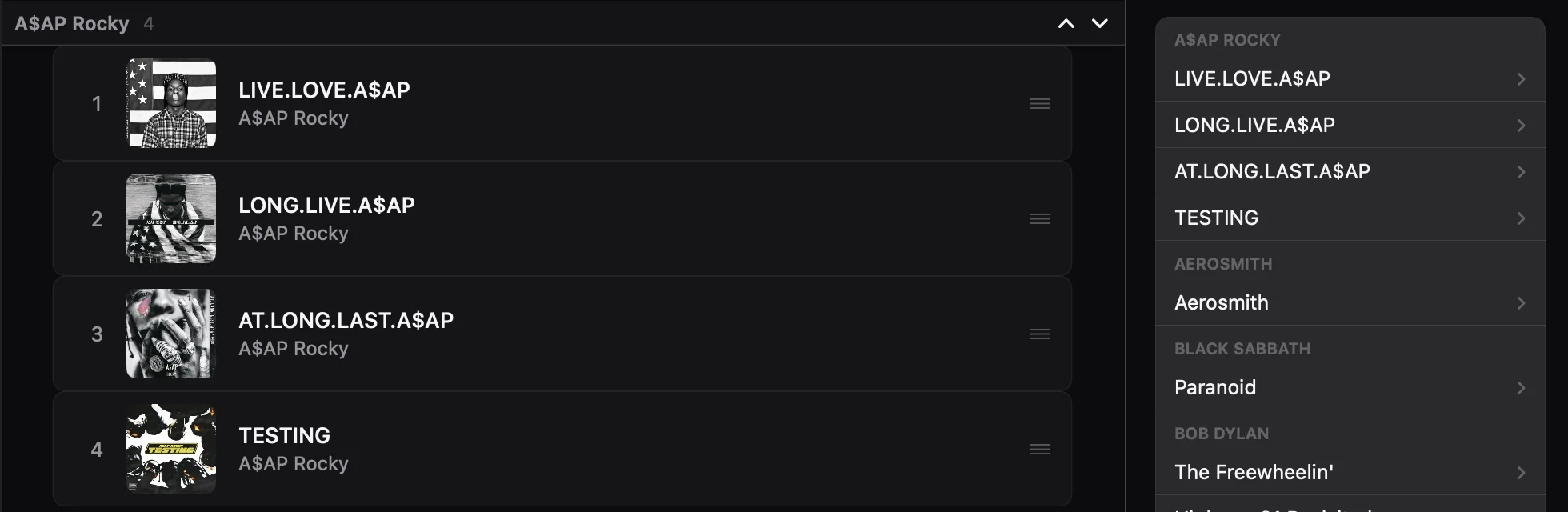
Drag an album up or down within its artist. Here AT.LONG.LAST.A$AP went from first to third, so the four albums run from 2011 to 2018. The list on the right, On the iPod, changes as you drag and shows the order the iPod will show. To move a whole artist, use the arrows next to the artist's name.
-
Click Done
It's at the top right. The new order waits as a pending change; the iPod hasn't changed yet.
-
Click the pending changes, then Write to iPod
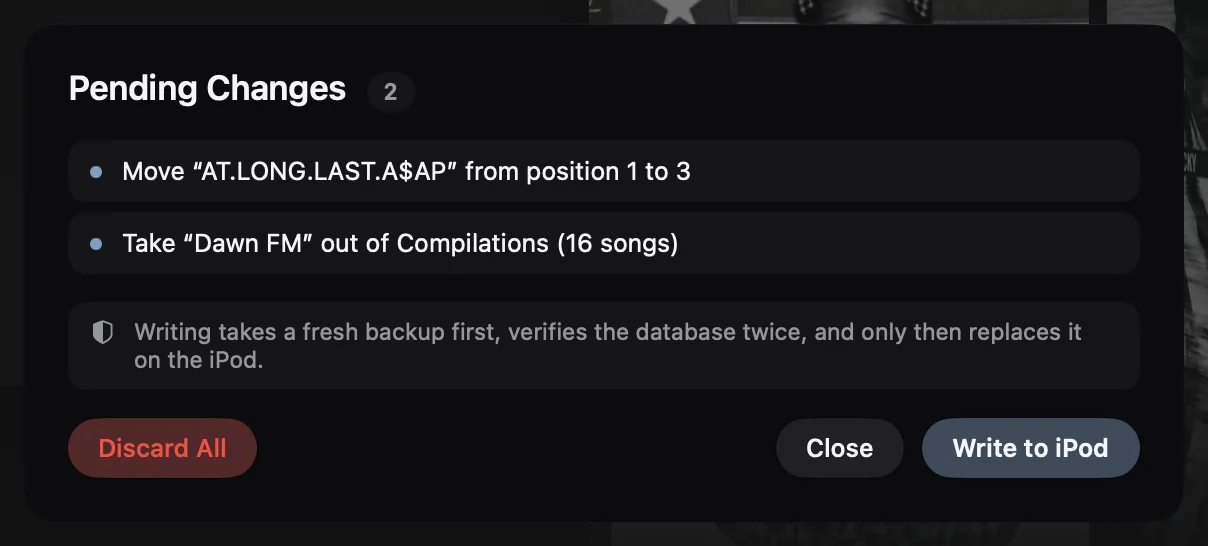
The button at the bottom of the window says how many changes are waiting. The list names each move. Click Write to iPod: Clickwill takes a fresh backup of the iPod's library, checks the new one twice and only then puts it on the iPod.
Albums stuck at the end of Cover Flow
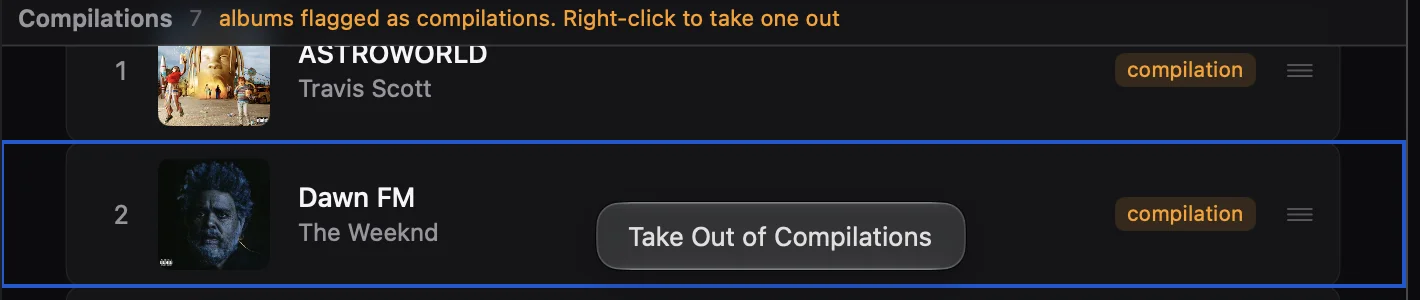
The iPod gathers every album marked as a compilation at the right end of Cover Flow, away from its artist. That's right for a soundtrack or a various artists album, but some albums by one artist carry the mark by mistake. In Reorder Albums they're in the Compilations group at the bottom, each labelled compilation. On my iPod there were seven, among them Dawn FM by The Weeknd.

Right-click the album and choose Take Out of Compilations. It moves back to its artist, and the change waits for Write to iPod like any other.
Why the order resets
When Music opens with the iPod connected, it rebuilds the iPod's menus and the albums go back to alphabetical order. Keep Music closed while the iPod is connected. If it opens by itself, quit it with Command-Q before you plug the iPod in.
The order of songs in an album
Open the album and drag songs up or down. How to manage songs on an iPod classic shows how.
Questions
Can I sort albums by year on an iPod classic?
The iPod has no setting for it. It shows albums in the order stored in its library, which Music writes alphabetically. With Clickwill you can drag each artist's albums into release order and write that order to the iPod.
Why are some albums at the end of Cover Flow on my iPod?
Albums marked as compilations are gathered at the right end of Cover Flow. If an album by one artist carries that mark by mistake, take it out of Compilations in Clickwill and it moves back to its artist.
Why did my album order reset on the iPod?
When Music opens with the iPod connected, it rebuilds the iPod's menus and the order goes back to alphabetical. Keep Music closed while the iPod is connected.
More: how to add missing album artwork, and every way to manage an iPod classic on a Mac.