
How to upgrade the songs on an iPod classic to lossless, keeping play counts
Ripped your CDs again in lossless, or bought the FLAC version? Clickwill puts the new files under the songs already on your iPod. Play counts, ratings, cover and the order you set all stay.
Click Add Songs or Albums and choose the lossless album. Clickwill recognizes it's already on the iPod and chooses Replace Files. Click Replace, then 1 change pending and Write to iPod.
What you need
- A Mac with macOS 26 or later.
- An iPod classic, connected to the Mac, with the album already on it.
- The same album in a lossless format: FLAC, Apple Lossless, WAV or AIFF.
- Enough free space. Lossless files take several times the space of MP3s; the free space is shown under your iPod in the sidebar.
Step by step
-
Click Add Songs or Albums
It's in the sidebar, under Library. Choose the folder with the lossless album.
-
Check that Clickwill found the album
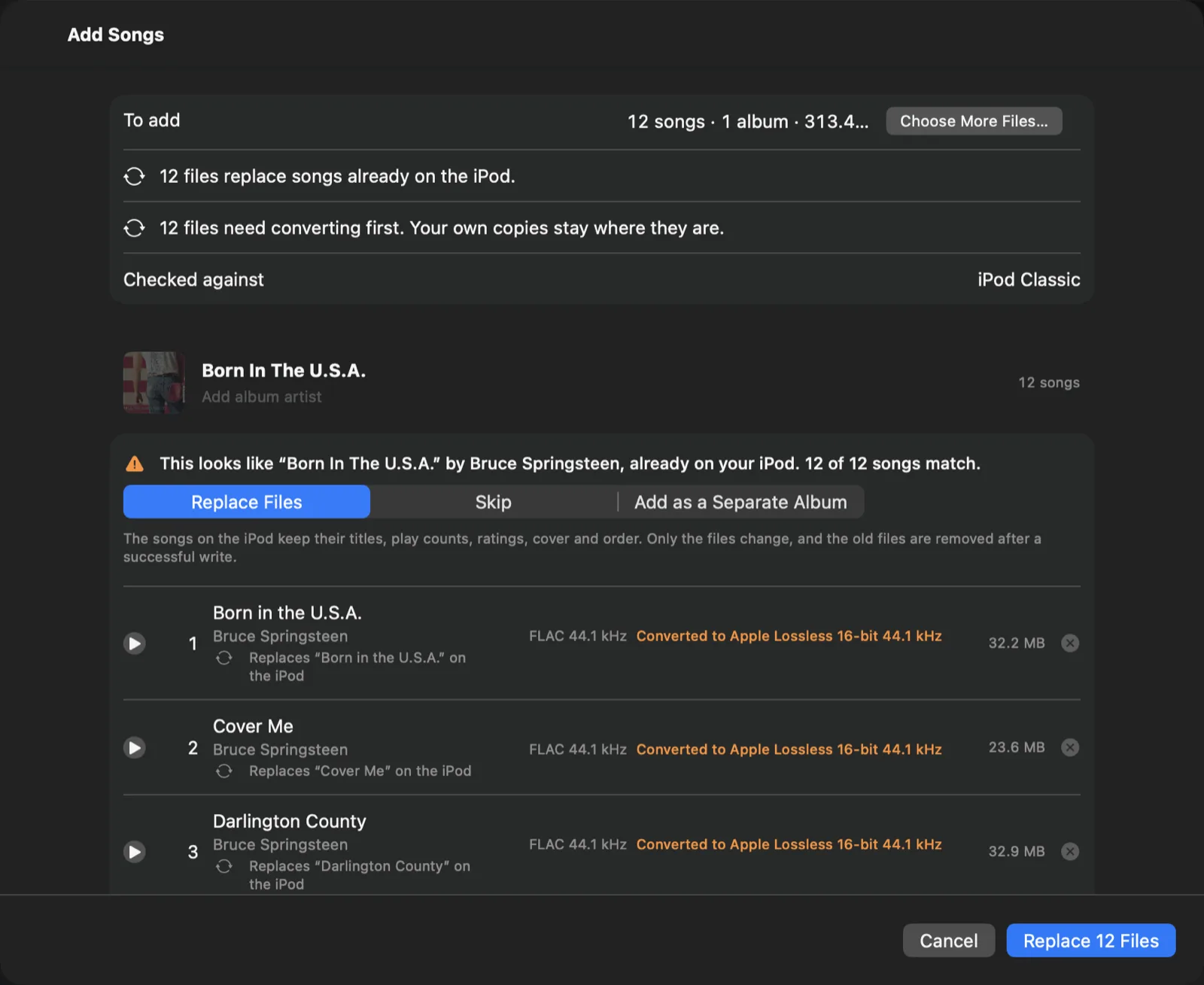
On my iPod, Born In The U.S.A. was in MP3. When I added the lossless version, Clickwill said it was already on the iPod and that all 12 songs matched. Replace Files is chosen, and each song says which song on the iPod it replaces.
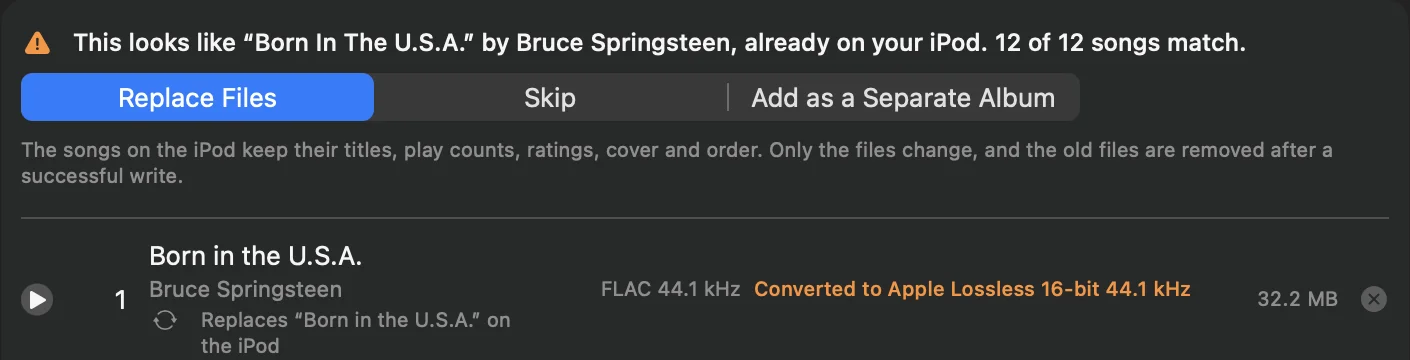
Clickwill compares song titles and lengths, so it finds the album even when the new files are tagged a little differently. If you'd rather keep both versions, choose Add as a Separate Album; to leave the album alone, choose Skip.
-
Click Replace
The button names how many files will be replaced, here Replace 12 Files. FLAC and AIFF files are converted to Apple Lossless on the way; at CD quality, the audio stays exactly the same.
-
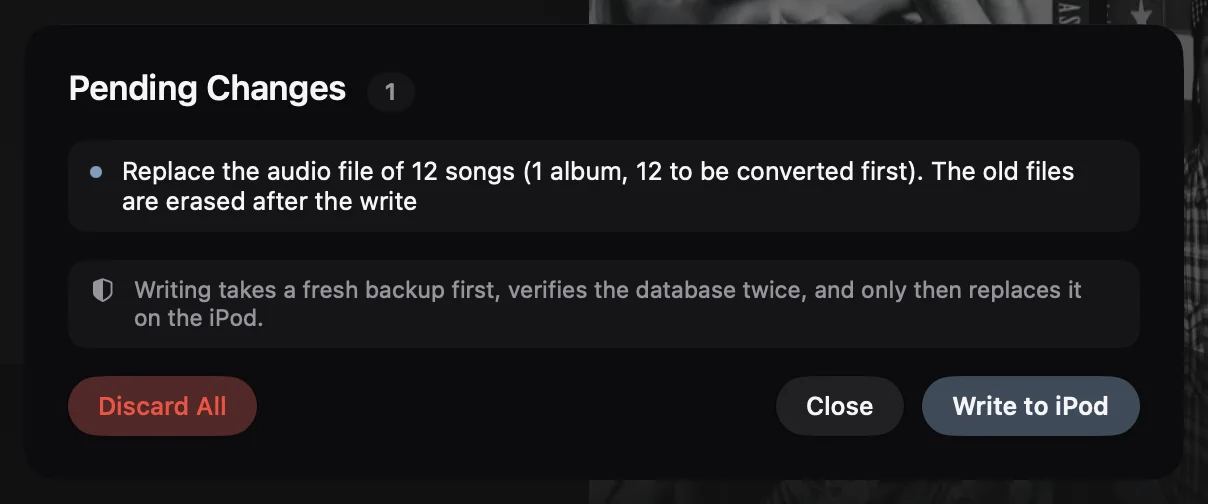
Click 1 change pending, then Write to iPod
The album count doesn't change, because no new album is added. The list of changes says how many songs get a new file and that the old files are erased after the write. Click Write to iPod: Clickwill takes a fresh backup of the iPod's library first.
What stays and what changes
- Stays: song titles, play counts, ratings, the album cover, the album's place on the iPod and the order of its songs.
- Changes: only the audio files. The old ones are removed after a successful write, so they don't take up space.
Questions
Do I lose play counts when I replace songs on an iPod classic?
Not with Replace Files in Clickwill. The songs on the iPod keep their titles, play counts, ratings, cover and order; only the audio files change.
How does Clickwill know the album is already on my iPod?
It compares song titles and lengths with the songs on the iPod, so it finds the album even when the new files are tagged differently.
Is it worth replacing MP3 with lossless on an iPod classic?
If you have the space, yes: Apple Lossless sounds exactly like the CD, and the iPod classic plays it. Lossless files take several times the space of MP3s, so check the free space shown under your iPod in the sidebar first.
More: how to put FLAC on an iPod classic, and how to put a CD on an iPod without iTunes.